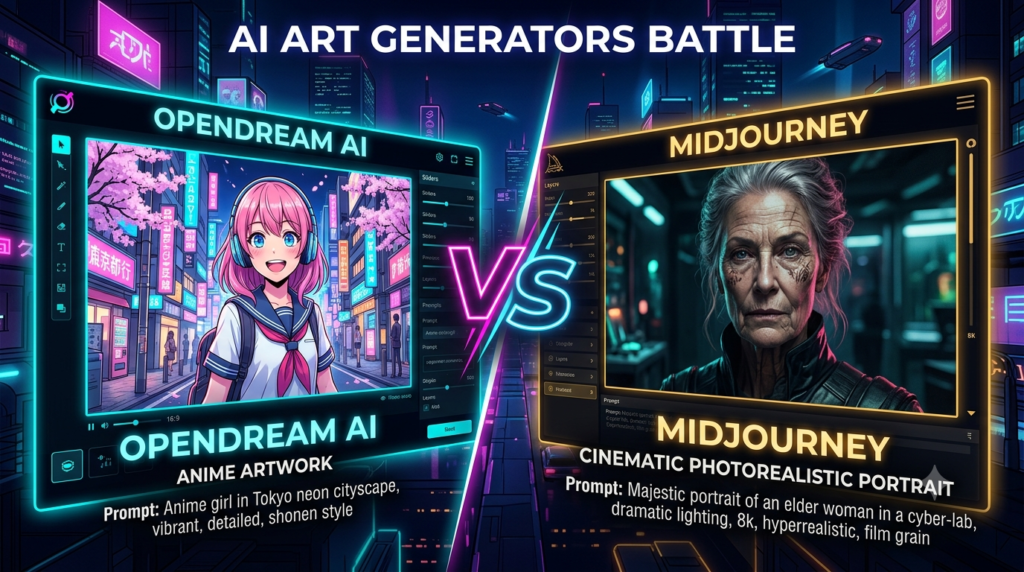
Introduction: Why the AI Art Generator Market Matters in 2025
The way we create visual content has changed forever. In 2025, AI art generators are no longer experimental novelties they are production-grade tools used by graphic designers, marketers, game developers, content creators, and entrepreneurs around the world.
Two platforms dominate this conversation more than any other: OpenDream AI and Midjourney.
Both tools allow you to generate stunning images from simple text prompts, but they differ dramatically in terms of image quality, pricing, ease of use, customization, and intended audience. Choosing the wrong tool can cost you time, money, and creative momentum.
In this comprehensive OpenDream AI vs Midjourney guide, we’ll cover everything from what each tool is and how to use it, to real feature comparisons, pricing breakdowns, and honest recommendations based on specific use cases.
Whether you’re a complete beginner or an experienced designer looking for a Midjourney alternative, this guide gives you everything you need to make an informed decision.
1. What Is OpenDream AI?
OpenDream AI is a browser-based AI image generation platform built on top of Stable Diffusion — one of the most powerful open-source AI models for generating images from text.
Unlike many AI tools that lock you into a single model, OpenDream AI gives users access to a wide variety of community-trained models, each specializing in different art styles from hyperrealistic portraits to anime, fantasy, and painterly illustrations.
Who Built OpenDream AI?
OpenDream AI was developed as an accessible, no-download interface for Stable Diffusion, allowing users to harness the power of open-source AI art generation directly from their browser — without installing Python, configuring environments, or managing GPU resources.
What Makes OpenDream AI Different?
- Runs entirely in your browser— no installation, no setup
- Access to hundreds of community models— not just one default model
- Free tier available— one of the few tools offering meaningful free usage
- Supports negative prompting— tell the AI what to avoid
- Style presets— click-to-apply aesthetic filters for beginners
- Inpainting and img2img— edit parts of an existing image using AI
Who Is OpenDream AI Best For?
OpenDream AI is best suited for:
- Beginnersexploring AI art for the first time
- Hobbyistswho want to create art without paying monthly fees
- Anime and fantasy artistswho want access to specialized Stable Diffusion models
- Developersexperimenting with different model types
- Budget-conscious creatorslooking for a free Midjourney alternative
2. What Is Midjourney?
Midjourney is a proprietary AI image generator developed by the independent research lab Midjourney, Inc., founded by David Holz. It uses its own closed-source AI model — one that has been trained specifically for creating visually stunning, artistically coherent images.
Since its launch in 2022, Midjourney has gone through multiple model versions (V1 through V6 and beyond), with each iteration dramatically improving in quality, realism, and prompt understanding.
Why Is Midjourney So Popular?
Midjourney consistently ranks as one of the best AI art generators in the world because:
- Its images have a distinctive, high-quality aestheticthat looks intentional and polished
- It handles complex artistic promptsbetter than most tools
- The community around Midjourneyis massive — offering billions of shared prompts
- It supports photorealism, concept art, product design, and more at a professional level
How Does Midjourney Work?
Midjourney operates through:
- Discord bot— the original and most feature-rich interface
- Midjourney Web App— newer browser-based interface for paid users
You input a text prompt, and Midjourney’s proprietary model generates a 2×2 grid of four images. You can then upscale, vary, or regenerate any of them.
Who Is Midjourney Best For?
- Professional designersand creative directors
- Marketing agenciesproducing visual content at scale
- Concept artistsin game development and film
- Social media content creatorswho need visually striking images
- Entrepreneurs and brand builderswho want premium visual assets
3. How to Use OpenDream AI (Step-by-Step)
One of OpenDream AI’s biggest advantages is how simple it is to start using. Here is a complete walkthrough:
Step 1: Visit the OpenDream AI Website
Go to opendream.ai in any modern browser. No download or app installation is required. You can sign up using Google, or browse as a guest with limited credits.
Step 2: Create a Free Account
Click Sign Up and register with your email or Google account. The free account gives you a set number of daily generation credits — enough to experiment comfortably.
Step 3: Choose a Model
On the generation page, you’ll see a model selector. This is one of OpenDream’s most powerful features. You can choose from:
- Realistic Vision— for photorealistic human portraits
- DreamShaper— versatile, good for fantasy and concept art
- Anything V5— specialized for anime-style art
- Deliberate— balanced model for general use
- And many more community models
Tip: Choosing the right model is half the battle. The model determines the base aesthetic of your output.
Step 4: Write Your Prompt
In the Prompt text box, describe what you want to generate. Be specific:
“A cyberpunk female warrior standing in neon-lit rain, detailed armor, bokeh background, cinematic lighting, 8K resolution”
Step 5: Add Negative Prompts
In the Negative Prompt box, tell the AI what to avoid:
“blurry, deformed hands, low quality, watermark, ugly, distorted face”
Negative prompts are one of the most powerful quality-improvement tools in Stable Diffusion-based generators.
Step 6: Adjust Settings
OpenDream allows you to control:
- Image size— choose aspect ratio (square, portrait, landscape)
- Steps— more steps = more detailed image (but slower)
- CFG Scale— how strictly the AI follows your prompt (higher = more literal)
- Seed— set a seed number to reproduce a specific result
Step 7: Click Generate
Hit the Generate button and wait 10–30 seconds. Your image appears on screen. You can download it, regenerate, or use it as a reference for img2img editing.
Step 8: Use Inpainting to Edit
If parts of your image are imperfect — for example, a distorted hand or incorrect background — OpenDream’s inpainting tool lets you paint over specific areas and regenerate just that region.
4. How to Use Midjourney (Step-by-Step)
Midjourney has a steeper learning curve, but the payoff in image quality is significant. Here’s how to get started:
Step 1: Create a Discord Account
Visit discord.com and create a free account if you don’t have one already.
Step 2: Subscribe to Midjourney
Go to midjourney.com and choose a subscription plan (Basic, Standard, Pro, or Mega). As of 2025, there is no free tier.
Step 3: Join the Midjourney Discord Server
After subscribing, join the official Midjourney Discord server and go to any #newbies channel, or use the Midjourney bot in your own private Discord server.
Step 4: Use the /imagine Command
In the message box, type:
/imagine prompt: a golden hour portrait of a woman in a red dress, standing in a wheat field, soft bokeh, cinematic, 85mm lens
Press Enter and the Midjourney bot will generate a 2×2 grid of 4 images in 30–60 seconds.
Step 5: Upscale or Vary Your Image
Below the generated grid, you’ll see buttons:
- U1–U4— Upscale a specific image (higher resolution)
- V1–V4— Create variations of a specific image
- 🔄— Regenerate all four images
Step 6: Use Advanced Parameters
Midjourney becomes extremely powerful when you use parameters:
/imagine prompt: futuristic city skyline at night –ar 16:9 –stylize 750 –v 6
Common parameters:
- –ar— Aspect ratio (e.g., –ar 16:9, –ar 1:1, –ar 9:16)
- –v— Model version (use –v 6 for the latest)
- –stylize— How artistic/stylized the output is (0–1000)
- –chaos— How varied the 4 images are from each other (0–100)
- –no— Negative prompt (e.g., –no blurry, text, watermark)
- –quality— Render quality (0.25, 0.5, or 1)
Step 7: Use the Midjourney Web App
For a more traditional interface, log in at midjourney.com/app (available for paid subscribers). You can generate, organize, and download your images without needing Discord.
Step 8: Use /describe and /blend
- /describe— Upload an image and Midjourney writes prompts that describe it (great for reverse-engineering aesthetics)
- /blend— Combine two or more images into a new AI-generated hybrid
5. Interface & User Experience Comparison
OpenDream AI Interface
OpenDream AI features a clean, minimal web interface that closely resembles tools like Canva or Adobe Express. Everything is visible on one screen:
- Model selector on the left
- Prompt box in the center
- Settings panel on the right
- Generated images displayed below
Learning time: Less than 5 minutes for a complete beginner.
Midjourney Interface
Midjourney’s Discord-based interface is functional but not traditionally user-friendly. It was designed for power users who are comfortable with text commands and bot interactions. The newer web app is cleaner, but still assumes some familiarity with the tool.
Learning time: 30 minutes to a few hours to get comfortable with commands and parameters.
Verdict: Interface & UX
OpenDream AI wins on ease of use. Midjourney wins for power users who prefer precise parameter control through commands.
6. Image Quality Comparison
This is the most important category for most users.
OpenDream AI Image Quality
Because OpenDream is built on Stable Diffusion, image quality depends heavily on which model you select. With the right model and prompt:
- Anime and illustrated stylesare excellent
- Photorealistic portraitscan be impressive with models like Realistic Vision V5
- Concept art and fantasyscenes are strong
- Hands and fine detailscan still be inconsistent (a common Stable Diffusion weakness)
Midjourney Image Quality
Midjourney V6 sets the bar for AI-generated image quality in 2025:
- Photorealismis near-indistinguishable from real photography in many cases
- Lighting, shadows, and texturesare handled with exceptional accuracy
- Faces and handsare dramatically more accurate than most competitors
- Artistic coherence— images look intentionally composed, not randomly generated
- Text renderingin images has improved significantly in V6
Side-by-Side Quality Assessment
| Category | OpenDream AI | Midjourney |
| Photorealistic Portraits | Good | Excellent |
| Anime / Manga Art | Excellent | Good |
| Concept Art | Very Good | Excellent |
| Landscape / Nature | Good | Excellent |
| Product Mockups | Moderate | Very Good |
| Hands & Fine Details | Inconsistent | Much Improved |
| Text in Images | Poor | Good (V6) |
| Cinematic Scenes | Good | Excellent |
Verdict: Image Quality
Midjourney wins overall image quality. OpenDream AI wins specifically for anime, manga, and stylized illustration categories.
7. Prompting: How Each Tool Handles Text Input
OpenDream AI Prompting
OpenDream follows Stable Diffusion prompting conventions:
- Comma-separated keyword lists work well
- Parentheses add emphasis: (detailed eyes:1.4)
- Brackets reduce emphasis: [soft background]
- Negative prompts are typed in a separate box
- Style presets can be applied on top of any prompt
Example Prompt:
cyberpunk street market, night scene, neon signs, (detailed reflections on wet pavement:1.3), rain, volumetric fog, cinematic, 8K
Negative Prompt:
blurry, low quality, watermark, deformed, ugly, oversaturated
Midjourney Prompting
Midjourney uses natural language prompting — it understands sentences, not just keyword lists:
- Write descriptively, like you’re explaining the scene to an artist
- Use parameter flags at the end of the prompt
- Multi-prompt weighting: red roses::2 white background::1
- Reference artistic styles: in the style of Studio Ghibli
Example Prompt:
/imagine prompt: a lone samurai standing on a misty mountain cliff at sunrise, cherry blossoms falling, traditional ink painting style, dramatic lighting –ar 2:3 –stylize 800 –v 6
Verdict: Prompting
Midjourney is more intuitive for natural language prompts. OpenDream gives more technical control for users familiar with Stable Diffusion syntax.
8. Styles & Artistic Range
OpenDream AI Style Range
Because OpenDream supports hundreds of community models, its style range is technically unlimited:
- Anime (Anything V5, AbyssOrangeMix)
- Hyperrealism (Realistic Vision, Deliberate)
- Oil painting and fine art
- Pixel art
- Comic book and graphic novel
- Dark fantasy and horror
- Architectural visualization
- Watercolor and sketch
Midjourney Style Range
Midjourney’s single model covers an enormous range:
- Photorealism and fashion photography
- Digital painting and concept art
- Art Deco, Art Nouveau, Baroque, Impressionism
- Studio Ghibli-inspired illustration
- Cinematic and film-grade visuals
- Architecture and interior design
- Logo and branding concepts (with limitations)
Verdict: Artistic Range
OpenDream wins on total style variety through its model ecosystem. Midjourney wins on consistency — its single model delivers high quality across a wide range without needing to switch.
9. Features Comparison
| Feature | OpenDream AI | Midjourney |
| Text-to-Image | ✅ | ✅ |
| Image-to-Image (img2img) | ✅ | ✅ (via /blend) |
| Inpainting | ✅ | ✅ (limited) |
| Outpainting | ✅ (some models) | ✅ (Zoom Out) |
| Upscaling | ✅ | ✅ |
| Negative Prompts | ✅ | ✅ (via –no) |
| Custom Model Upload | ✅ | ❌ |
| Style Presets | ✅ | ❌ |
| LoRA Support | ✅ | ❌ |
| Batch Generation | ✅ | ✅ |
| /describe (image to prompt) | ❌ | ✅ |
| Stealth Mode (private) | ❌ | ✅ (Pro plan) |
| API Access | ❌ | ✅ (limited) |
| Mobile App | ❌ | ✅ (iOS/Android) |
10. Pricing Comparison
OpenDream AI Pricing (2025)
OpenDream AI offers a free tier which is one of its biggest selling points:
- Free Plan:Limited daily credits, standard queue, watermarked or non-watermarked depending on version
- Paid Plans:Multiple subscription tiers unlocking more credits, faster queue, and priority generation
OpenDream is significantly cheaper than Midjourney for comparable usage volume, making it the best free AI image generator option for casual creators.
Midjourney Pricing (2025)
| Plan | Price | Fast GPU Hours | Features |
| Basic | ~$10/month | 3.3 hrs/month | ~200 images |
| Standard | ~$30/month | 15 hrs/month | Unlimited Relax mode |
| Pro | ~$60/month | 30 hrs/month | Stealth mode, more fast hours |
| Mega | ~$120/month | 60 hrs/month | Maximum speed, priority |
Annual billing provides approximately 20% discount.
There is currently no free plan on Midjourney.
Verdict: Pricing
OpenDream AI wins on pricing — especially for budget-conscious users. For professional creators who generate hundreds of images monthly, Midjourney’s Standard or Pro plan is worth the investment given the quality difference.
11. Speed & Performance
OpenDream AI Speed
Generation speed on OpenDream depends on:
- Server load and queue position
- The model selected (some are heavier than others)
- Number of steps you’ve set
- Your subscription tier (paid users get priority)
Average generation time: 15–45 seconds per image on the free tier.
Midjourney Speed
Midjourney runs on fast GPUs and processes images in parallel:
- Fast mode:30–60 seconds for a 2×2 grid (4 images)
- Relax mode (Standard+):1–5 minutes depending on queue
- Turbo mode (Pro+):Approximately 2x faster than Fast mode
Verdict: Speed
Midjourney is faster per image in Fast mode. OpenDream can be slower on the free tier due to shared server queues.
12. Commercial Use & Licensing
OpenDream AI Commercial Rights
OpenDream AI’s commercial licensing depends on:
- The specific model being used
- Whether you are on a free or paid plan
- The terms of the base model (Stable Diffusion models have varying licenses)
Always review the specific model’s license before using OpenDream AI images commercially. Some community models restrict commercial use.
Midjourney Commercial Rights
- Free tier (when it existed):No commercial use
- Paid subscribers:Can use images commercially, subject to Midjourney’s Terms of Service
- Pro subscribers:Additional protections including Stealth mode (images not shown publicly)
Note: Midjourney images generated by companies with annual revenue over $1 million may be subject to additional licensing terms.
Verdict: Commercial Use
Midjourney is clearer on commercial rights for paid subscribers. OpenDream requires more careful model-by-model verification.
13. Community & Support
OpenDream AI Community
- Growing Discord community
- Model sharing and community uploads
- Basic documentation and help articles
- Email support for paid users
Midjourney Community
- One of the largest AI art communitiesin the world
- Billions of publicly shared image generations to browse
- Rich ecosystem of prompt guides, tutorials, YouTube channels, and courses
- Active Discord with support channels, showcase rooms, and prompt sharing
- Regular model updates with detailed changelogs
Verdict: Community
Midjourney wins by a massive margin. Its community is a resource in itself — browsing generated images teaches you more about prompting than any tutorial.
14. Pros & Cons of OpenDream AI
✅ Pros of OpenDream AI
- Free tier available— accessible to anyone without a credit card
- Browser-based— no installation, works on any device
- Hundreds of community models— unmatched style variety
- Supports inpainting and img2img— edit and refine images
- LoRA support— fine-tuned aesthetic control
- Great for anime and stylized art
- Lower learning curve— beginners can start in minutes
- Negative prompts— powerful quality control tool
❌ Cons of OpenDream AI
- Image quality ceilingis lower than Midjourney for photorealism
- Slower generationon free tier
- Inconsistent hand and face rendering(Stable Diffusion limitation)
- Commercial licensing is complex— model-dependent
- No mobile app
- Smaller communitythan Midjourney
- Model selection can be overwhelmingfor beginners
15. Pros & Cons of Midjourney
✅ Pros of Midjourney
- Best-in-class image qualityfor most categories
- Exceptional photorealism— near-photographic output
- Improved face and hand accuracy(V6)
- Massive, active communitywith billions of shared prompts
- Natural language prompting— no keyword syntax needed
- Mobile app available(iOS and Android)
- Regular model updates— continuous quality improvements
- /describe tool— reverse engineer prompts from images
❌ Cons of Midjourney
- No free tier— requires paid subscription
- Discord-based— interface is not intuitive for non-Discord users
- No custom model support— locked into Midjourney’s model
- Higher cost— $10–$120/month
- Stealth modeonly available on Pro plan ($60/month)
- Limited inpaintingcompared to Stable Diffusion tools
- Prompt quirks— results can be unpredictable despite detailed prompts
16. Use Case Recommendations
Best for Beginners Learning AI Art
→ OpenDream AI
Free, browser-based, and forgiving. Start here, learn the fundamentals of prompting, then graduate to Midjourney.
Best for Professional Marketing Visuals
→ Midjourney
Polished, cinematic output that looks intentional and premium. Perfect for ad creatives, hero images, and brand visuals.
Best for Anime & Manga Art
→ OpenDream AI
Specialized anime models like Anything V5 and AbyssOrangeMix produce anime-style images that Midjourney’s model doesn’t natively replicate.
Best for Game Concept Art
→ OpenDream AI or Midjourney (tie)
OpenDream for stylized fantasy assets using fine-tuned models; Midjourney for cinematic, detailed concept art.
Best for Social Media Content
→ Midjourney
The visual quality of Midjourney images performs significantly better on Instagram, LinkedIn, and Pinterest.
Best for Budget Creators and Freelancers
→ OpenDream AI
Zero to low cost with a wide feature set. Great for delivering AI art to clients without heavy subscription costs.
Best for Photorealistic Product Images
→ Midjourney
V6’s photorealism and lighting accuracy is better suited for product mockups and e-commerce visuals.
Best for Architectural Visualization
→ Midjourney
Handles architectural prompts with impressive spatial accuracy, lighting, and material rendering.
Best for Dark Fantasy or Horror Art
→ OpenDream AI
Community models trained specifically on dark fantasy aesthetics outperform Midjourney’s more polished, clean outputs in this niche.
17. Midjourney Alternatives Worth Knowing
Beyond OpenDream AI and Midjourney, here are the other major AI image generators worth considering in 2025:
DALL·E 3 (via ChatGPT)
- Best for:Accurate text rendering in images, conceptual accuracy
- Pricing:Included with ChatGPT Plus ($20/month)
- Strength:Follows prompts extremely literally — great when precision matters
Adobe Firefly
- Best for:Commercial-safe AI art integrated into Adobe Creative Cloud
- Pricing:Included in Adobe CC subscriptions
- Strength:Trained on licensed content — safest for commercial use
Stable Diffusion (Local/Self-Hosted)
- Best for:Maximum control, no subscriptions, privacy
- Pricing:Free (requires hardware investment)
- Strength:Full customization, LoRA, ControlNet, no limits
Leonardo AI
- Best for:Game assets, character design, concept art
- Pricing:Free tier available, paid plans from $12/month
- Strength:Excellent training tools and asset consistency features
Ideogram
- Best for:Text-in-image generation (currently the best in class)
- Pricing:Free tier available
- Strength:Unrivaled text rendering — great for logos, posters, and graphic design
Playground AI
- Best for:High-volume free generation
- Pricing:Free tier with 500 images/day
- Strength:Accessible, fast, good quality for casual use
18. Frequently Asked Questions (FAQs)
What is OpenDream AI used for?
OpenDream AI is used to generate AI artwork from text prompts. It supports a wide range of styles — from photorealistic portraits to anime, fantasy, and concept art — using community-trained Stable Diffusion models, all from a browser-based interface.
Is OpenDream AI completely free?
OpenDream AI offers a free tier with a limited number of daily image generation credits. Paid plans provide more credits, faster queue priority, and access to additional features.
Is Midjourney better than OpenDream AI?
For overall image quality and photorealism, Midjourney is better. For price, accessibility, and anime/stylized art, OpenDream AI has the edge. The right choice depends on your specific creative needs and budget.
Can I use OpenDream AI images for commercial purposes?
Commercial use rights depend on the specific model used within OpenDream AI. Stable Diffusion-based models have varying licenses. Always verify the model’s commercial use terms before publishing or selling AI-generated images.
How much does Midjourney cost per month?
Midjourney plans start at approximately $10/month (Basic), going up to $30 (Standard), $60 (Pro), and $120 (Mega) per month. There is no free plan as of 2025.
Is there a free version of Midjourney?
No. Midjourney removed its free trial in early 2023 and requires a paid subscription to generate images. OpenDream AI, Leonardo AI, and Playground AI are the best free Midjourney alternatives available.
What is the best AI art generator in 2025?
For overall image quality: Midjourney. For free usage and style variety: OpenDream AI. For commercial safety: Adobe Firefly. For text in images: Ideogram. The best tool depends entirely on your use case.
Does OpenDream AI use Stable Diffusion?
Yes. OpenDream AI is powered by Stable Diffusion models, including both the base SD model and a wide range of community fine-tuned models that users can select from within the platform.
Can OpenDream AI generate NSFW content?
OpenDream AI has content filters active by default. Some models in the community ecosystem may have different policies, but the platform follows content guidelines. Always review the platform’s Terms of Service.
What is the newest Midjourney model?
As of 2025, Midjourney V6 (and its subsequent point releases) is the latest and most powerful model, featuring dramatically improved photorealism, text rendering, and prompt accuracy compared to earlier versions.
Which AI art generator is best for social media?
Midjourney produces the most scroll-stopping, visually polished images suited for social media platforms like Instagram, Pinterest, and LinkedIn. Its cinematic quality and color treatment are particularly well-suited to social content.
Is Midjourney good for beginners?
Midjourney has a learning curve particularly the Discord interface and parameter system. However, V6’s improved natural language understanding makes it more beginner-accessible than earlier versions. OpenDream AI remains the easier starting point for absolute beginners.
19. Final Verdict: OpenDream AI vs Midjourney
After comparing every aspect of both platforms, here’s where each tool stands:
Choose OpenDream AI If You:
- Are a beginner exploring AI art for the first time
- Want a free AI image generatorwithout committing to a subscription
- Love anime, manga, or niche art styles
- Want to experiment with different Stable Diffusion models
- Need inpainting and image editing features at no cost
- Are a developer or power user wanting maximum model flexibility
Choose Midjourney If You:
- Need professional-grade image qualityfor commercial work
- Create marketing assets, social media content, or brand visuals
- Want the most artistically polished AI-generated imagesavailable
- Are a concept artist, creative director, or visual storyteller
- Don’t mind a Discord-based workflow or can use the web app
- Are willing to invest in a subscription for significantly better output
The Bottom Line
OpenDream AI is the best free entry point into AI art generation it’s accessible, versatile, and surprisingly powerful when you learn its model ecosystem. It’s the right tool for beginners and budget-conscious creators.
Midjourney is the industry leader in AI art quality and remains the benchmark that all other tools are measured against. For serious creative work, the subscription cost is justified many times over.
The good news? You don’t have to choose just one. Start with OpenDream AI to learn prompt engineering and explore styles — then upgrade to Midjourney when you’re ready to take your AI art to a professional level.