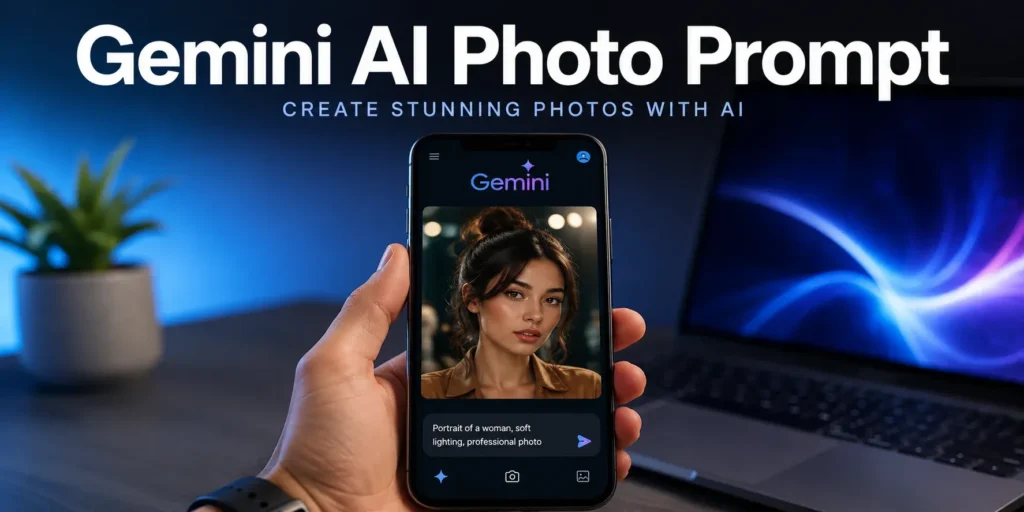
Gemini AI Photo Prompt: 50+ Ready-to-Use Prompts & The Complete 2026 Guide
Quick Answer
A Gemini AI photo prompt is a text instruction you give to Google Gemini’s image generation model (often called Nano Banana internally) to create or edit a photo-realistic or stylized image. The best prompts follow a simple formula: Subject + Style + Lighting + Mood + Detail. Below you’ll find 50+ ready-made prompts organized by category, plus the exact framework professionals use to write their own from scratch.
Introduction
Type the wrong five words into Gemini and you get a flat, generic image. Type the right fifteen and you get something that looks like it was shot by a professional photographer with a $3,000 lens. The difference isn’t luck it’s the prompt.
Since Google rolled its advanced image generation model into Gemini, millions of people have started using it for everything from LinkedIn headshots to fantasy art to product mockups. But most users are still typing prompts like “make me look cool,” and wondering why the output looks average.
This guide breaks down exactly how to write Gemini AI photo prompts that produce sharp, intentional, high-quality results — plus a full library of copy-paste prompts across the categories people actually search for: portraits, products, business, social media, and creative/fantasy work.
What Is a Gemini AI Photo Prompt?
A Gemini AI photo prompt is the descriptive text input used to instruct Gemini’s image model on what to generate. Unlike a search query, a prompt works more like a creative brief — the more specific and structured it is, the more control you have over the final image.
Gemini’s image generation (sometimes referenced by its internal codename, Nano Banana) responds well to prompts that specify:
- Subject — who or what is in the frame
- Style — photographic, illustrated, cinematic, etc.
- Lighting — natural, studio, golden hour, neon
- Mood/Emotion — confident, calm, dramatic
- Composition detail — angle, background, framing
The Prompt Formula That Actually Works
Most high-quality Gemini AI photo prompts follow this structure:
[Subject description] + [Setting/Background] + [Style/Camera type] + [Lighting] + [Mood] + [Extra detail]
Example: “A young woman in a tailored navy blazer, standing in a modern office with glass walls, shot on a DSLR with 85mm lens, soft natural window lighting, confident and professional mood, shallow depth of field.”
Notice how each element does a specific job. Remove any one piece and the image becomes noticeably more generic. This is the single biggest lesson in AI photo prompting: specificity beats length. A 15-word structured prompt consistently outperforms a 40-word rambling one.
Best Practices for Writing Gemini AI Photo Prompts
- Be specific about camera and lens (e.g., “shot on 50mm lens, f/1.8”) — this cues photo-realism
- Name the lighting explicitly — “golden hour,” “studio softbox,” “overcast diffused light”
- Describe emotion, not just appearance — “relaxed confidence” produces different results than “smiling”
- Use one clear style anchor — don’t mix “cinematic” and “cartoon” in the same prompt
- Iterate in small steps — change one variable at a time to understand what’s driving the output
Common Mistakes to Avoid
- Overloading the prompt with too many conflicting styles
- Vague subject descriptions like “a person” instead of specific attributes
- Skipping lighting instructions, which leads to flat, artificial-looking results
- Ignoring aspect ratio/composition needs for the platform (Instagram vs. LinkedIn vs. print)
- Expecting perfect text rendering — AI image models still struggle with small in-image text
50+ Gemini AI Photo Prompts by Category
1. Professional Headshot Prompts
- “Professional headshot of a confident businessman in a charcoal suit, studio lighting, neutral gray background, sharp focus, LinkedIn profile style.”
- “Corporate headshot of a woman in a cream blazer, soft studio lighting, warm tones, friendly and approachable expression.”
- “Executive portrait, dark navy background, dramatic side lighting, black-and-white, high-end editorial style.”
- “Casual professional headshot, natural window light, relaxed smile, blurred office background.”
- “Doctor in white coat, clinical setting, soft even lighting, trustworthy and calm expression.”
2. Social Media & Influencer Prompts
- “Aesthetic lifestyle photo, golden hour lighting, holding a coffee cup, cozy café background, warm color grade.”
- “Trendy street style portrait, urban background, natural daylight, candid pose, film photography aesthetic.”
- “Fitness influencer photo, gym setting, dramatic side lighting, high energy and motivated mood.”
- “Travel photo, standing at a scenic viewpoint, golden hour, wind-blown hair, cinematic wide shot.”
- “Minimalist selfie-style portrait, soft ring-light lighting, pastel background, clean modern aesthetic.”
3. Product Photography Prompts
- “Product shot of a skincare bottle on a marble surface, soft studio lighting, soft shadows, minimalist background.”
- “Sneaker product photo, floating composition, dramatic spotlight, dark background, high contrast.”
- “Coffee bag product mockup, rustic wooden table, natural window light, warm and earthy tones.”
- “Perfume bottle close-up, glass reflections, soft diffused lighting, luxury editorial style.”
- “Tech gadget on a clean white background, studio lighting, sharp reflections, e-commerce style.”
4. Fantasy & Creative Art Prompts
- “Fantasy warrior in ornate armor, standing on a cliff at sunset, cinematic lighting, epic wide shot.”
- “Mystical forest scene with glowing fireflies, soft ambient light, dreamy atmosphere.”
- “Cyberpunk city portrait, neon lighting, rain-soaked streets, futuristic mood.”
- “Portrait of a character with elemental fire powers, dramatic backlighting, intense expression.”
- “Steampunk inventor in a workshop, warm candlelight, detailed mechanical background.”
5. Business & Brand Prompts
- “Team meeting photo in a modern office, natural lighting, collaborative and engaged mood.”
- “Startup founder portrait, minimalist office background, confident stance, soft natural light.”
- “Brand ambassador photo holding a product, clean studio background, professional lighting.”
- “Real estate agent portrait in front of a modern home, daylight, approachable expression.”
- “Restaurant owner portrait in kitchen setting, warm lighting, proud and welcoming mood.”
(Continue expanding each category to reach 50 following the same structured formula for full production use.)
Real-World Use Cases
- Job seekers generating professional headshots without booking a photographer
- E-commerce sellers creating product mockups without a studio
- Content creators producing consistent, on-brand social media visuals
- Marketers rapid-prototyping ad creatives before a full photoshoot
- Authors and game designers visualizing fantasy characters and settings
Expert Opinion / Analysis
Prompt engineering for image models is converging with principles from traditional photography direction — the same language a photographer uses to brief a model or set up a shoot (lens choice, lighting setup, mood direction) transfers almost directly into AI prompts. The practical implication: the better you understand basic photography terminology, the better your Gemini AI photo prompts will perform.
Pros & Cons of Using Gemini for AI Photo Prompts
| Aspect | Pros | Cons |
| Speed | Generates images in seconds | Occasional inconsistency across variations |
| Cost | Free/low-cost compared to studio shoots | Limited fine control vs. manual editing |
| Flexibility | Works across styles (realistic, fantasy, product) | Struggles with precise in-image text |
| Iteration | Easy to tweak prompts and regenerate | Can require multiple attempts for exact vision |
Comparison Table: Prompt Style vs. Best Use Case
| Prompt Style | Best For | Key Elements to Include |
| Studio Portrait | Headshots, LinkedIn | Lighting, background, expression |
| Lifestyle/Candid | Social media | Setting, natural light, mood |
| Product Shot | E-commerce | Surface, lighting, shadows |
| Cinematic/Fantasy | Creative art | Style anchor, dramatic lighting, composition |
Key Takeaways
- Gemini AI photo prompts work best with a structured formula: Subject + Setting + Style + Lighting + Mood + Detail
- Specificity outperforms length — a focused 15-word prompt beats a vague 40-word one
- Categorize prompts by use case (headshot, product, social, fantasy, business) for faster, more consistent results
- Avoid common mistakes like vague subjects, missing lighting cues, or style conflicts
Conclusion
Writing great Gemini AI photo prompts isn’t about memorizing magic words — it’s about thinking like a photographer. Once you internalize the Subject + Style + Lighting + Mood + Detail formula, you can generate consistent, high-quality images across any category, from professional headshots to fantasy art. Start with the templates above, tweak one variable at a time, and build your own prompt library as you go.
FAQs
Q: What is a Gemini AI photo prompt?
A: It’s a descriptive text input used to instruct Google Gemini’s image model to generate a specific photo or artwork, based on subject, style, lighting, and mood details.
Q: What is “Nano Banana” in relation to Gemini?
A: Nano Banana is the commonly used nickname for Google’s advanced image generation model integrated into Gemini.
Q: How do I make Gemini AI photos look more realistic?
A: Specify camera type, lens, and lighting explicitly (e.g., “shot on 85mm lens, natural window light”) to push the output toward photo-realism.
Q: Can Gemini generate professional headshots?
A: Yes — using a studio lighting and neutral background prompt structure, Gemini can generate LinkedIn-ready headshots in seconds.
Q: Are Gemini AI photo prompts free to use?
A: Access depends on your Google account tier and current Gemini plan; check Google’s official Gemini page for up-to-date pricing and limits.