Introduction
If you’ve spent any time in the AI video space this year, you’ve probably seen a Kling AI clip before you knew what Kling AI was. A hyperrealistic close-up, a physically plausible camera pan, a person turning their head in a way that doesn’t glitch. That’s the calling card of the tool built by Kuaishou, the Chinese short-video giant behind one of the largest content platforms in the world.
This guide skips the marketing language and gets into what actually matters: what Kling AI does, what it really costs per video (not just per month), and who it makes sense for.
Quick Answer: What Is Kling AI and Is It Worth It?
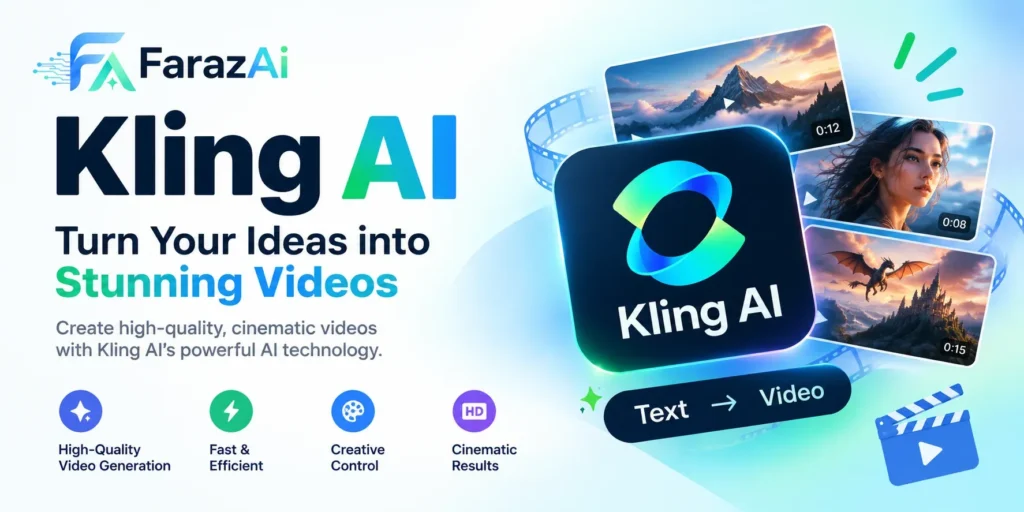
Kling AI is a text-to-video and image-to-video generator known for realistic human motion, native audio and lip sync, and a free tier that renews daily. It’s worth using if you make short-form video content regularly and want commercial rights without a steep entry price. It’s a weaker fit if you need a full in-platform editing suite or long-form footage beyond a few connected shots.
What Kling AI Actually Does
At its core, Kling AI converts a text prompt or a reference image into a short video clip. Under the hood, it uses a diffusion-based video model trained to understand motion, physics, and lighting consistency across frames, which is why its output tends to look less “wobbly” than earlier-generation video AI tools.
The platform has grown well beyond a single feature. As of the Kling 3.0 release in mid-2026, the toolkit includes:
- Text-to-video and image-to-video generation, with native clips capped at 10 seconds and extension tools that can stitch footage out to roughly 3 minutes
- Kling 3.0 Omni, the current flagship engine, which added 4K editing, physics-accurate motion, and multi-shot storytelling across as many as six connected shots
- Native audio generation with lip sync, introduced in the Kling 2.6 update, so a generated character can speak in sync with generated dialogue rather than needing a separate voice tool
- Camera control and Motion Control, letting creators specify pans, zooms, and tracking shots instead of relying on the model to guess
- Elements, a feature for maintaining a consistent character or object across multiple generations
- A production API with per-second pricing and no waitlist, which matters for teams building the tool into a larger content pipeline
Kling AI Pricing in 2026: The Real Numbers
This is the part where most guides get messy, largely because Kling AI runs regional pricing experiments and intro discounts that make published numbers shift depending on the source and the date. Treat the figures below as a reliable range and always confirm current pricing directly on kling.ai before subscribing.
| Plan | Typical Monthly Price | Monthly Credits | Resolution | Watermark |
| Free | $0 | ~1,980 (66/day, expire daily) | 360p to 720p | Yes |
| Standard | ~$7 to $15 | 660 | Up to 1080p | Removed |
| Pro | ~$25 to $37 | 3,000 | Up to 1080p/4K | Removed |
| Premier | ~$60 to $92 | 8,000 | Up to 4K | Removed |
| Ultra | ~$120 to $180 | 26,000 | Up to 4K | Removed |
A few things worth knowing before you pick a tier:
The free plan resets daily rather than monthly, which is unusual and genuinely useful if you only need a clip here and there rather than a monthly allotment that expires. It’s also restricted to non-commercial use and carries a watermark.
Commercial usage rights kick in starting at the Standard tier, which puts Kling ahead of Pika and Luma AI, both of which gate commercial rights behind a more expensive plan.
Annual billing meaningfully lowers the effective monthly cost across every paid tier, typically by 20 to 35 percent, so if you know you’ll use the tool for more than a few months, the annual option pays for itself quickly.
What a Video Actually Costs You
Monthly price tags don’t tell the full story because Kling AI runs on a credit system, and credit consumption depends on mode, resolution, and duration. Based on current published credit costs:
- A 5-second clip in Standard mode costs roughly 20 to 35 credits, or well under a dollar on most paid plans
- A 5-second clip in Professional mode (higher fidelity, better motion coherence) costs closer to 65 to 100 credits
- Adding native audio and lip sync roughly doubles the credit cost of a clip
- A full 1-minute video using Professional mode can run 400 to 450 credits, which on the Standard plan alone could consume most of a month’s allocation
The practical takeaway: if you’re making anything longer than short social clips, or if you want audio baked in regularly, budget for the Pro tier rather than Standard. Casual, occasional use is genuinely well served by Free or Standard.
Kling AI vs. Runway, Pika, and Luma AI
| Feature | Kling AI | Runway | Pika | Luma AI |
| Entry paid price | ~$7 to $15/mo | ~$15/mo | ~$8/mo (annual) | ~$10/mo |
| Commercial rights | From Standard tier | From Standard tier | Requires Pro (~$28/mo) | Requires Plus (~$30/mo) |
| Free tier | 66 credits, resets daily | One-time credit grant | Monthly credit grant | Limited daily generations |
| Max resolution | Up to 4K (Kling 3.0) | 1080p, 4K via upscale | 1080p | 1080p, 4K via upscale |
| Native audio with lip sync | Yes, multi-language | No | Partial | No |
| In-platform editing suite | Minimal | Full suite | Basic | Limited |
| Signature strength | Human motion realism | End-to-end editing workflow | Fast iteration, stylized looks | Cinematic camera movement |
The honest read: Runway remains the stronger choice if you need editing tools inside the same platform rather than exporting to a separate editor. Kling AI’s edge is realism in human movement and the fact that it bundles audio generation most competitors still charge extra for or don’t offer at all. If your output is people-focused content (talking-head style clips, dialogue scenes, product demos with a presenter), Kling’s realism advantage is worth the switch.
Real-World Use Cases
Social media and short-form content. Creators use Kling AI to generate b-roll, stylized intros, and short narrative clips for TikTok, Instagram Reels, and YouTube Shorts, where the native 5 to 10 second output length is already the right format.
Marketing and product demos. Small businesses use image-to-video to animate product photography into short promotional clips without hiring a videographer or actor.
Pre-visualization for filmmakers. Independent filmmakers use the multi-shot storytelling feature to storyboard scenes in motion before committing to a full production shoot, saving time and budget in pre-production.
Localized dialogue content. The multi-language lip sync feature has found traction among creators producing the same video in multiple languages without re-shooting.
Pros and Cons
Pros:
- Daily-resetting free tier with no credit card required
- Commercial rights available from the cheapest paid plan
- Strong, well-reviewed realism in human motion and faces
- Native audio and lip sync built directly into generation
- Transparent, documented API for developers
Cons:
- No meaningful in-platform editing suite, so you’ll still need external software for final cuts
- Native clips are capped at 10 seconds, and extended clips can show quality drop-off
- Pricing and plan names shift often enough that published guides quickly go stale
- Credit consumption for Professional mode and audio can burn through a plan faster than expected
- Strict no-NSFW moderation policy, enforced through multi-layer content review, which occasionally flags legitimate creative content
Common Mistakes to Avoid
- Assuming Standard mode and Professional mode cost the same. They don’t, and the difference in credit burn is significant enough to blow through a monthly plan.
- Not testing on the free tier first. The daily-reset free plan is generous enough to evaluate motion quality and prompt behavior before paying anything.
- Overusing video extension for length. Extended clips beyond the native duration can show visible quality degradation; for anything long-form, plan for multiple shorter generations edited together instead.
- Skipping annual billing when usage is consistent. The savings are large enough that even three to four months of committed use often justifies switching from monthly.
Best Practices for Better Results
- Write prompts that describe motion and camera behavior explicitly rather than only describing the scene, since the model responds well to directional language
- Use Elements to lock in a consistent character across a multi-shot sequence instead of regenerating and hoping for consistency
- Reserve Professional mode for final output and use Standard mode for early iteration to conserve credits
- Pair image-to-video with a strong, well-lit reference photo, since output quality tracks closely with input image quality
Key Takeaways
- Kling AI is a text-to-video and image-to-video generator built by Kuaishou, known for realistic human motion and native audio with lip sync
- Pricing starts free and scales to roughly $120 to $180 per month at the top tier, but always verify current pricing directly on the official site
- Commercial usage rights are available starting at the cheapest paid tier, ahead of several competitors
- The tool is strongest for short-form, people-focused content and weakest for teams that need a full editing suite in one place
- Understanding credit cost per mode (Standard vs. Professional) matters more than the monthly sticker price when choosing a plan
Conclusion
Kling AI has earned its place among the leading AI video tools in 2026 by focusing on something narrower and harder than flashy demos: making generated people move, speak, and look like people. That focus shows in the output, and it’s why creators making dialogue-driven or human-centered content keep returning to it over flashier alternatives.
It isn’t the right tool for every workflow. If your process depends on editing entirely inside one platform, Runway is still the stronger fit. But if you want realistic motion, built-in audio, and a genuinely usable free tier to test before you commit, Kling AI is worth the trial run, and the daily-reset free credits mean that trial costs you nothing but a few minutes.
Frequently Asked Questions
Is Kling AI free to use? Yes, Kling AI offers a free tier with roughly 66 credits per day that reset every 24 hours, though output is limited to lower resolution, carries a watermark, and is restricted to non-commercial use.
How much does Kling AI cost per video? A short 5-second clip in Standard mode typically costs under a dollar in credits on a paid plan, while a Professional-mode clip with audio can cost several dollars in credits depending on length.
Is Kling AI better than Runway? Neither is strictly better. Kling AI generally produces more realistic human motion and includes native audio, while Runway offers a fuller in-platform editing suite. The right choice depends on whether your workflow needs built-in editing.
Who owns Kling AI? Kling AI is developed by Kuaishou Technology, one of China’s largest short-video platforms, which launched the tool globally in 2024.
What is the maximum video length on Kling AI? Native generation is capped at 10 seconds, but the video extension feature can stitch clips together for a total length of roughly 3 minutes.
Does Kling AI have an API for developers? Yes, Kling AI offers a production-ready API with per-second pricing and no waitlist, which is documented for direct integration into apps and content pipelines.