
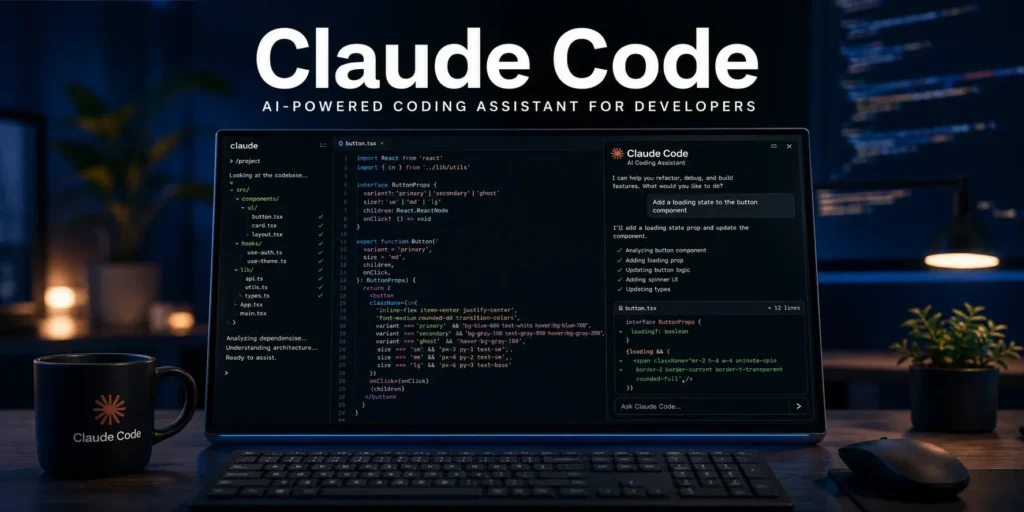
Claude Code Explained: Features, Setup & Complete Guide (2026)
Quick Answer
Claude Code is Anthropic’s agentic coding tool that lives in your terminal, IDE, desktop app, or browser. Unlike a typical chatbot, it can directly read your codebase, edit files, run commands, and manage git workflows — acting more like a capable teammate than a Q&A assistant. It’s installed via npm, configured with a project-level CLAUDE.md file, and available through Anthropic’s Pro, Max, Team, and Enterprise plans.
Introduction
Most AI coding assistants answer questions. Claude Code does the work.
Instead of copy-pasting code between a chat window and your editor, Claude Code operates directly inside your development environment — reading your actual files, running your actual test suite, and committing to your actual git history. That distinction, “agentic” versus “conversational,” is the entire reason developers are switching workflows around it.
This guide covers what Claude Code actually is, how it works, its core building blocks (CLAUDE.md, subagents, skills), how to install it, real use cases, and where to check for the latest official details before you commit budget to it.
What Is Claude Code?
Claude Code is an agentic coding tool that reads your codebase, edits files, runs commands, and integrates with your development tools — available in your terminal, IDE, desktop app, and browser. It’s built by Anthropic and powered by Claude models.
The key word is agentic. A standard AI chat assistant tells you what to do. Claude Code goes further: it can execute the bash commands, apply the file edits, and run the git operations itself, inside a scoped, permissioned environment you control.
How Claude Code Works: Core Building Blocks
Claude Code is extended through a small set of primitives that developers combine to shape its behavior:
- CLAUDE.md — a memory file Claude reads every session to learn your project’s conventions, build commands, and rules. Anthropic recommends keeping it concise and focused on verifiable instructions rather than long, vague guidance.
- Skills — a SKILL.md file placed under a project’s skills directory, invocable directly by name or automatically triggered by Claude when relevant.
- Subagents — separate context windows Claude can spin up to handle isolated tasks (e.g., scanning 30 files and returning only a summary), keeping your main session’s context smaller.
- Slash commands & hooks — shortcuts and automation triggers for repeatable workflows like /review or /security-review.
- MCP servers — connectors that let Claude Code reach external tools and data sources.
- Plugins — bundles that package these primitives into a single installable unit.
Installing Claude Code
Claude Code installs via npm and runs across multiple surfaces — terminal, IDE extension, desktop app, and browser.
Basic terminal install:
npm install -g @anthropic-ai/claude-code
cd your-project
claude
A few platform notes worth knowing before you install:
- Windows: Git for Windows is recommended so Claude Code can use its Bash tool; without it, Claude Code falls back to PowerShell. WSL setups don’t need Git for Windows separately.
- Native installs update automatically in the background to stay on the latest stable release.
- Most surfaces require a Claude subscription or an Anthropic Console account to authenticate.
Because installation steps and requirements can change between releases, always cross-check the current steps against Anthropic’s official documentation before publishing setup instructions for your audience.
Real-World Use Cases
- Bug fixing: Describe an error in plain language; Claude Code locates the cause in your codebase and proposes or applies a fix.
- Codebase onboarding: New to a repo? Ask Claude Code to walk you through the architecture and key files.
- Automated code review: Run built-in review commands to catch general issues or security-specific concerns before a merge.
- CI/CD integration: Use the headless CLI (e.g., inside a GitHub Action) to lint, test, or summarize pull request diffs without opening a terminal session manually.
- Large-scale refactors: Scope a task, let Claude Code work through it with checkpoints, and roll back easily if the output drifts from what you wanted.
Claude Code vs. Other AI Coding Tools
Developers frequently compare Claude Code against tools like GitHub Copilot and OpenAI’s Codex. The honest picture in 2026: benchmark performance between top coding models is close and shifts often, and each tool has a different philosophy — some emphasize inline autocomplete, others (like Claude Code) emphasize autonomous, multi-step task execution. Rather than treating any single benchmark score as final, evaluate based on how each tool fits your actual workflow: how much autonomy you want to grant it, how your team manages cost controls, and which surfaces (terminal, IDE, CI) matter most to you.
Understanding Claude Code Pricing (What to Verify Before You Buy)
Claude Code is included across Anthropic’s core subscription tiers — Pro, Max, Team, and Enterprise — as well as usage billed directly through the API for teams that bring their own key. Because pricing, included usage, and rate limits are updated periodically and vary by plan and usage pattern, don’t rely on any third-party figure as final — confirm current plan pricing and limits directly on Anthropic’s official Claude Code documentation before making a purchasing decision.
A practical cost-control tip regardless of plan: running many parallel subagents or agent sessions multiplies token usage proportionally, since each one consumes from the same underlying quota. Capping parallelism and clearing context between unrelated tasks are commonly recommended ways to keep usage predictable.
Best Practices for Using Claude Code
- Keep your CLAUDE.md short and specific — list real build/lint/test commands rather than general philosophy
- Use subagents for isolated, well-scoped tasks so your main session context stays lean
- Clear context between unrelated tasks to avoid resending stale history every turn
- Reserve heavier models for genuinely complex, multi-file reasoning; use lighter models for mechanical edits
- Review official documentation regularly — Claude Code ships new capabilities frequently
Common Mistakes to Avoid
- Treating Claude Code like a passive chatbot instead of giving it clear, actionable, scoped tasks
- Writing an overly long or vague CLAUDE.md that adds cost without adding clarity
- Running multiple parallel agents unattended without monitoring usage
- Skipping official documentation and relying only on third-party summaries for pricing or feature details, since this space changes quickly
Key Takeaways
- Claude Code is an agentic coding tool — it acts, not just answers
- Core building blocks are CLAUDE.md, skills, subagents, slash commands, hooks, and MCP servers
- Installs via npm, runs across terminal, IDE, desktop, and browser
- Available through Pro, Max, Team, and Enterprise plans, plus direct API billing
- Always verify current pricing and feature details against official Anthropic documentation, since details update frequently
Conclusion
Claude Code represents a shift from AI-as-advisor to AI-as-teammate — a tool that doesn’t just suggest code but actually executes it inside your real project. Getting the most out of it comes down to a few fundamentals: a lean CLAUDE.md, scoped subagent use, and staying current with Anthropic’s official documentation as features and pricing evolve. Start small — one well-scoped task, one clear CLAUDE.md — and expand from there.
FAQs
Q: What is Claude Code?
A: Claude Code is Anthropic’s agentic coding tool that reads your codebase, edits files, runs commands, and manages git workflows across your terminal, IDE, desktop app, or browser.
Q: How do I install Claude Code?
A: Run npm install -g @anthropic-ai/claude-code, navigate to your project directory, and run claude to start. Windows users are advised to install Git for Windows for full Bash tool support.
Q: What is a CLAUDE.md file?
A: It’s a project-level memory file that Claude Code reads every session to learn your team’s conventions, commands, and rules — best kept short and specific.
Q: Is Claude Code free?
A: Claude Code is included in paid Claude plans (Pro, Max, Team, Enterprise) and can also be billed via direct API usage. Check Anthropic’s official pricing page for current rates, since these are updated periodically.
Q: Is Claude Code better than GitHub Copilot?
A: The two tools take different approaches — Copilot focuses more on inline autocomplete, while Claude Code emphasizes autonomous, multi-step task execution. The better fit depends on your workflow rather than a single benchmark score.